How to Batch Generate Press-On Nail Product Photos with AI
Launching a new press-on nail collection? You need product photos for every design — and they all need to look consistent. Shooting each one individually with a hand model takes hours and costs hundreds of dollars. With Batch Mode in Try My Nails, you can upload up to 10 nail designs and generate all their product photos with one hand pose in a single session. Same pose, same background, same lighting — a professional catalog in minutes.
TL;DR — Upload up to 10 nail designs and generate all their product photos with one hand pose in a single session. Same pose, same background, same lighting — a professional catalog in minutes. Use Batch Mode for catalog consistency, and Single Mode for pose variety within one listing.
The Problem: Inconsistent Product Photos
If you sell press-on nails on Etsy, TikTok Shop, or Instagram, you know the struggle. Each time you photograph a new design, the lighting is slightly different, the hand angle changes, and the background color shifts. Your listing grid ends up looking like a patchwork instead of a cohesive brand.
Buyers notice inconsistency. A uniform catalog signals professionalism and builds trust — leading to higher click-through rates and more sales.
The Solution: Batch Mode
Batch Mode lets you upload multiple nail designs and apply the exact same settings — skin tone, hand pose, background color, and aspect ratio — to all of them at once. The result: perfectly consistent product photos across your entire collection.
Batch Mode vs. Single Mode
- Single Mode: 1 nail design → up to 4 different hand poses. Best for creating variety within one listing.
- Batch Mode: Up to 10 nail designs → 1 consistent hand pose. Best for building a cohesive catalog or collection page.
Step-by-Step: How to Use Batch Mode
Open the Visualize page and toggle from "Single" to "Batch" at the top. Then upload up to 10 nail design photos. You can select multiple images from your photo library at once.
Pick a skin tone that best represents your target audience, select a background color (white is great for Etsy, bold colors for Instagram), and choose an aspect ratio for your platform.
In Batch Mode, you select exactly one hand pose. This same pose will be used for every design in your batch, ensuring visual consistency across your catalog.
Hit Generate. The AI processes all your designs simultaneously and produces a product photo for each one. Download them all and upload directly to your listings.
See It in Action: Before & After
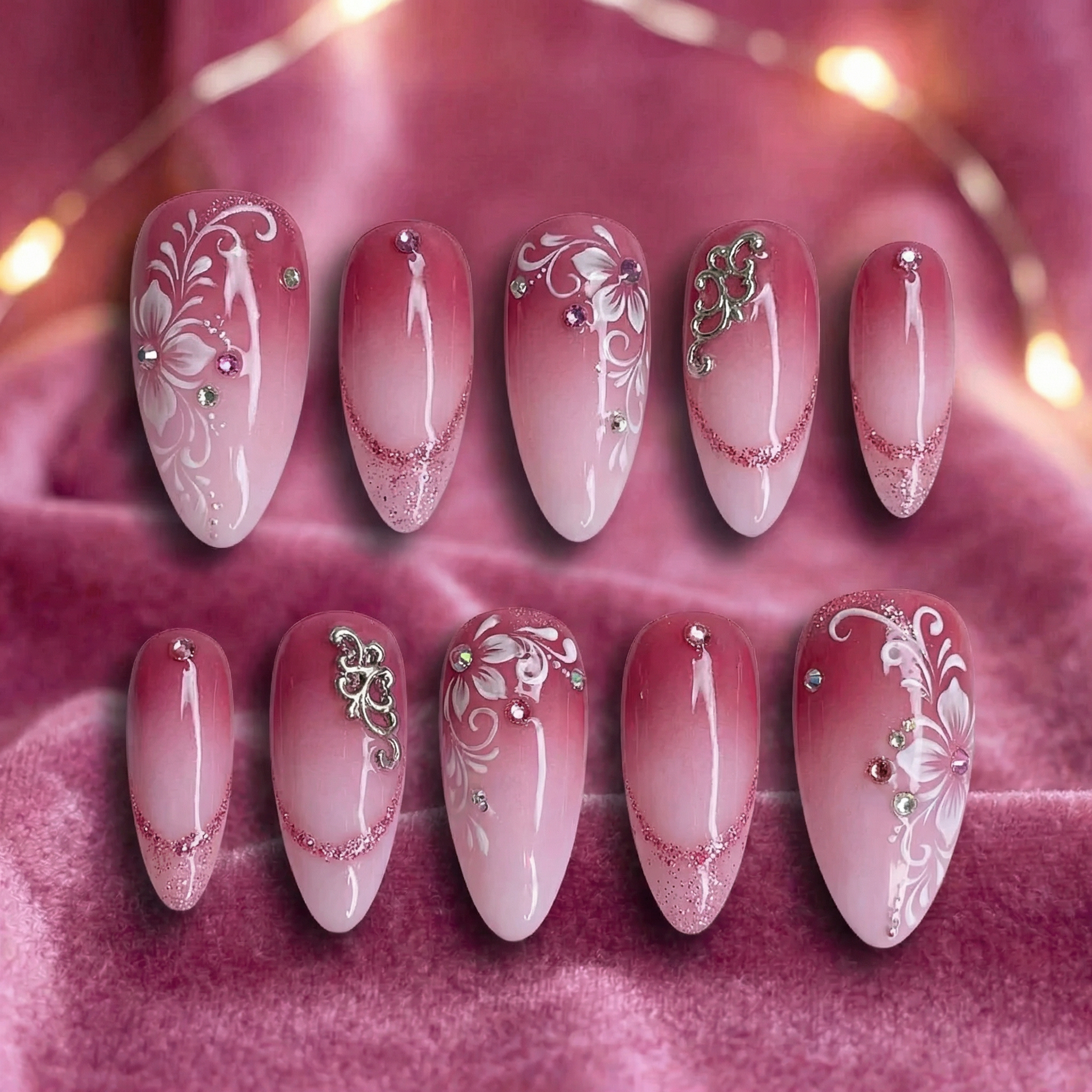
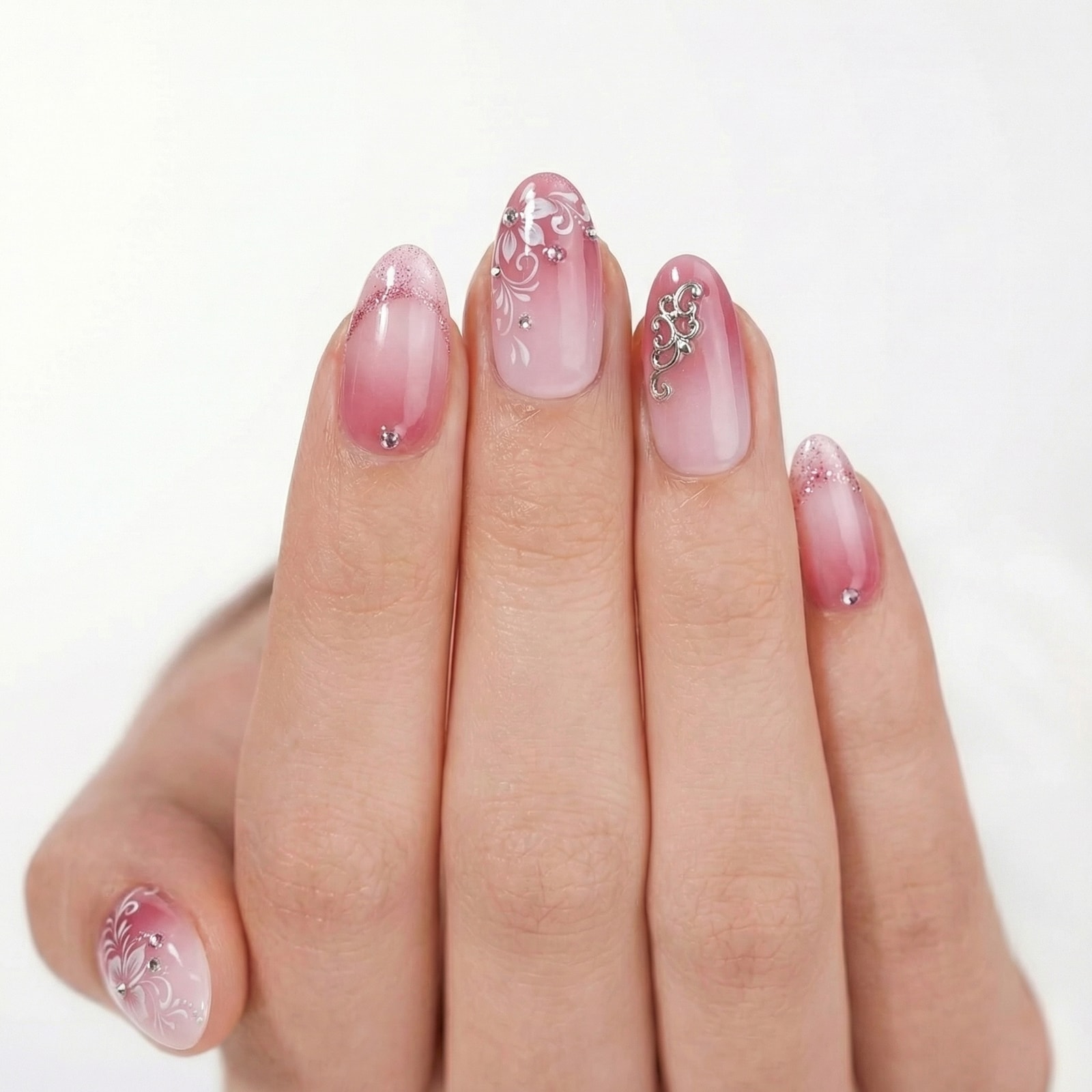
Here's a single nail design going from flat lay to product-ready photo:
The Power of Batch: 8 Designs, 1 Pose
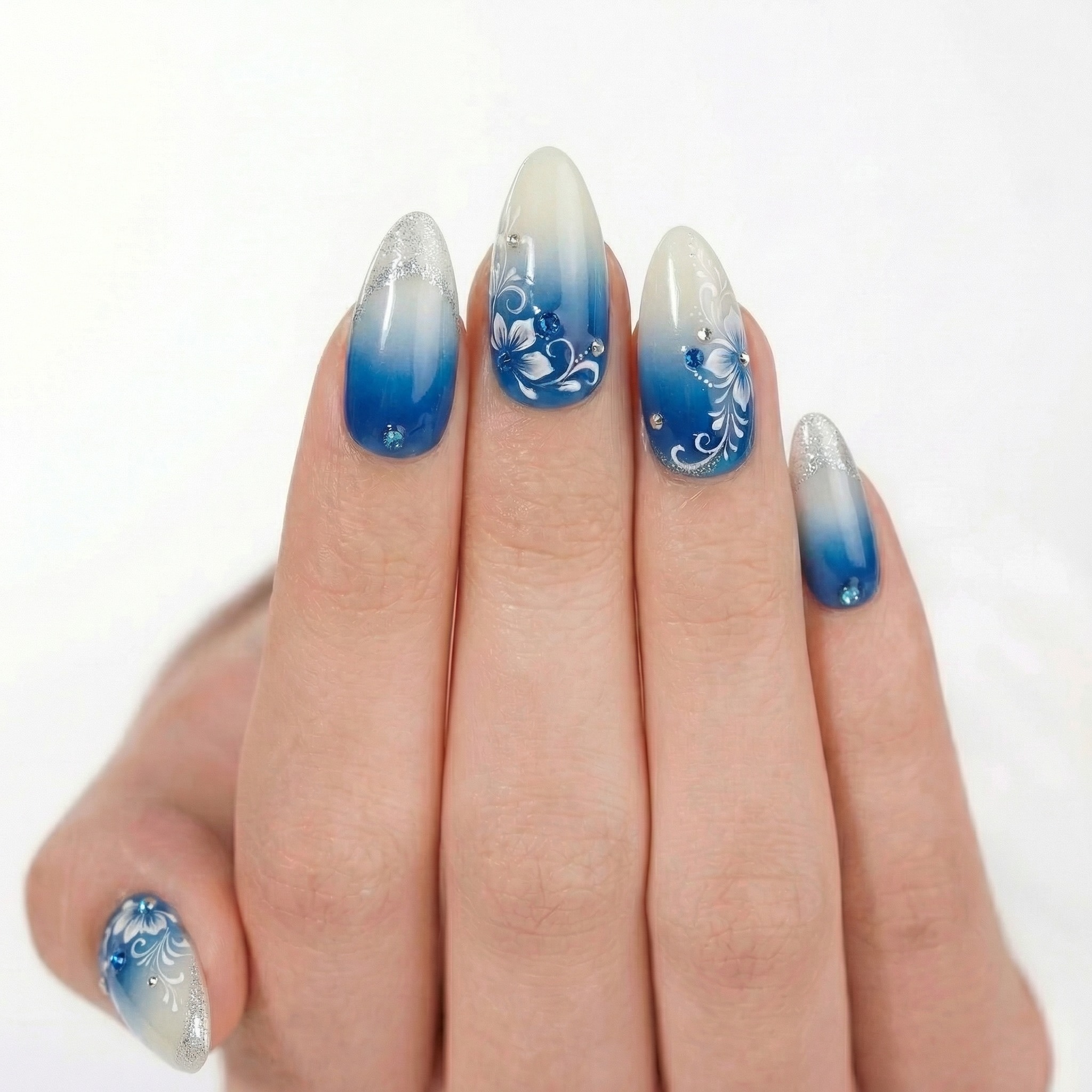
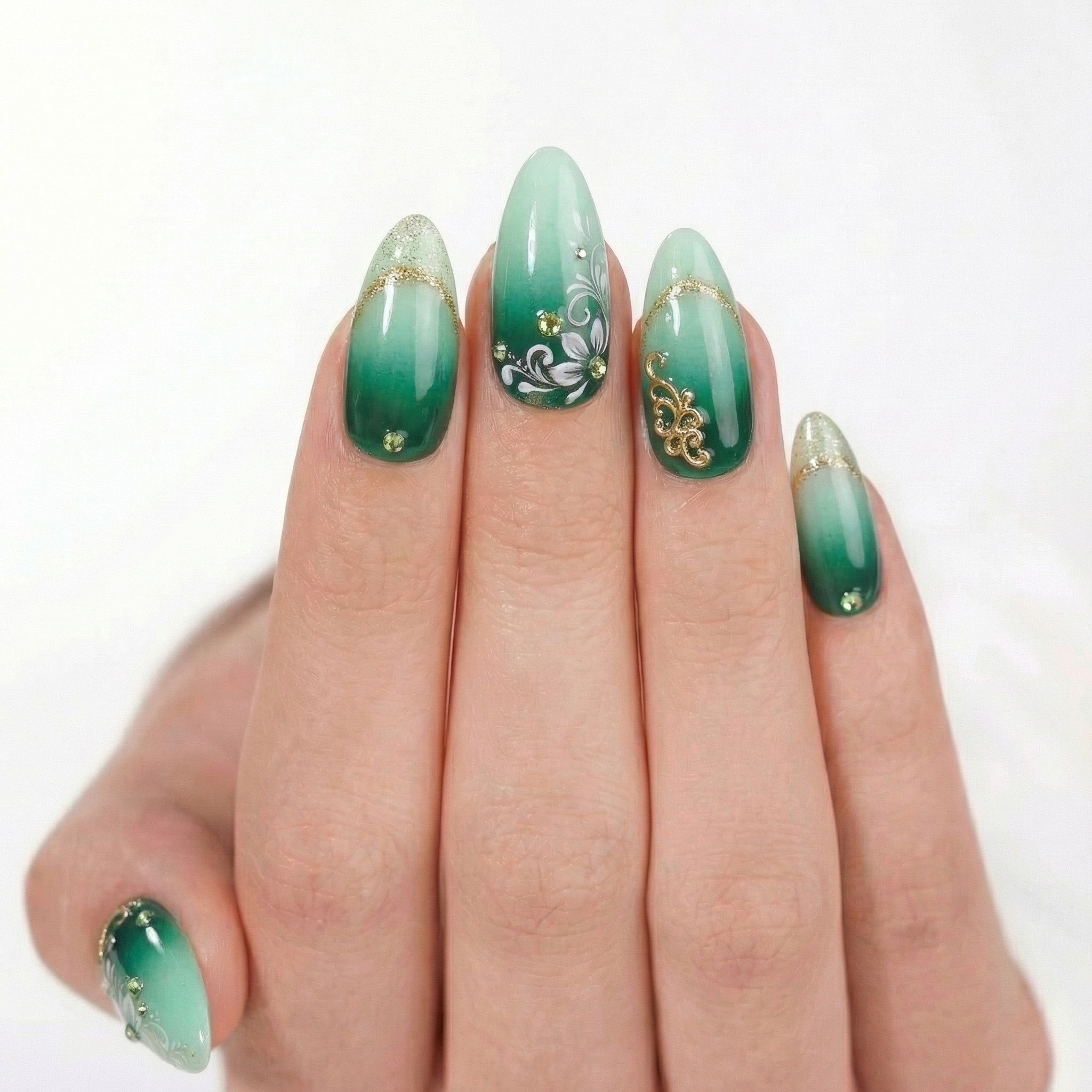
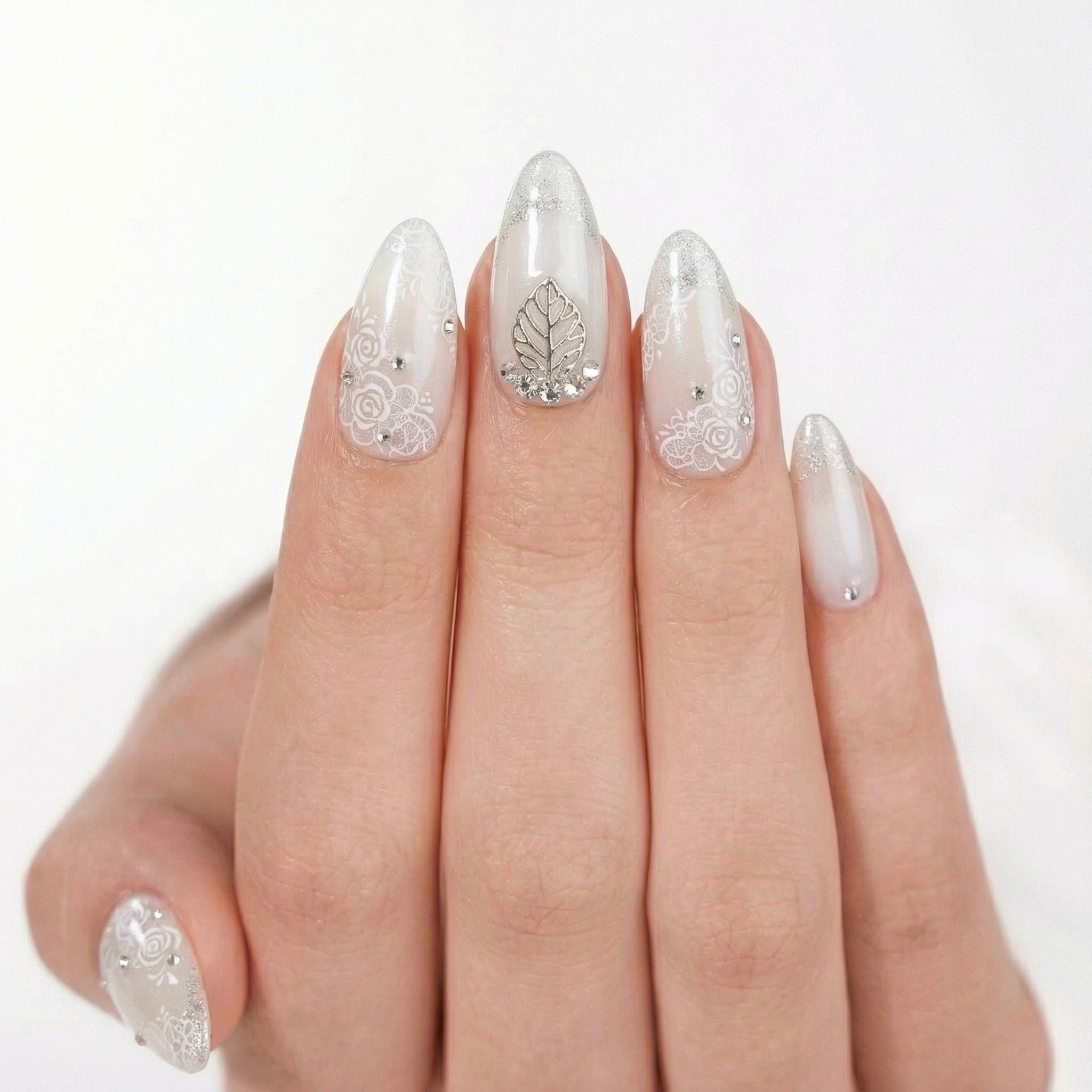
This is what makes Batch Mode special. Below are 8 different nail designs — all generated with the exact same hand pose and white background. Notice how the consistent presentation creates a professional, catalog-ready look:
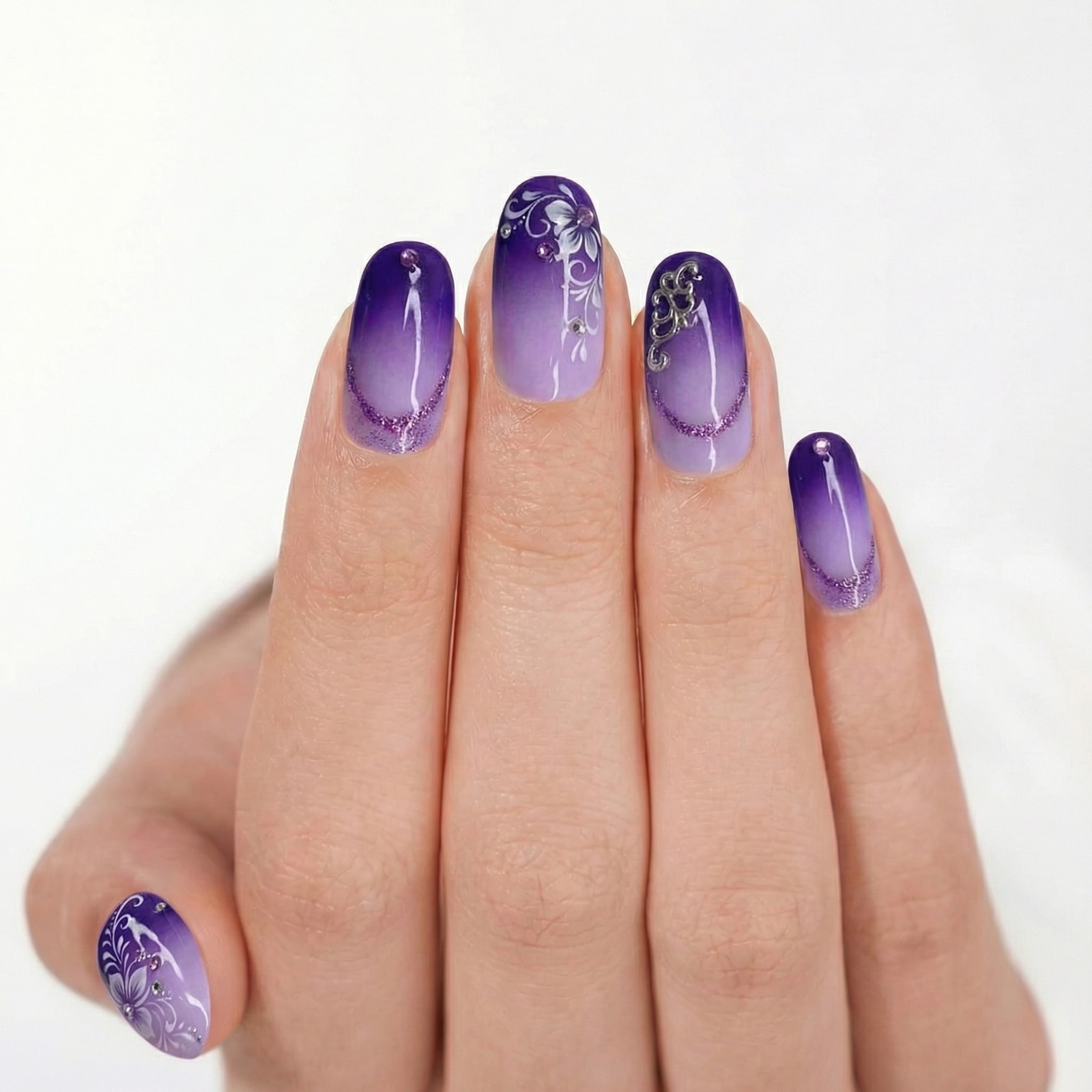
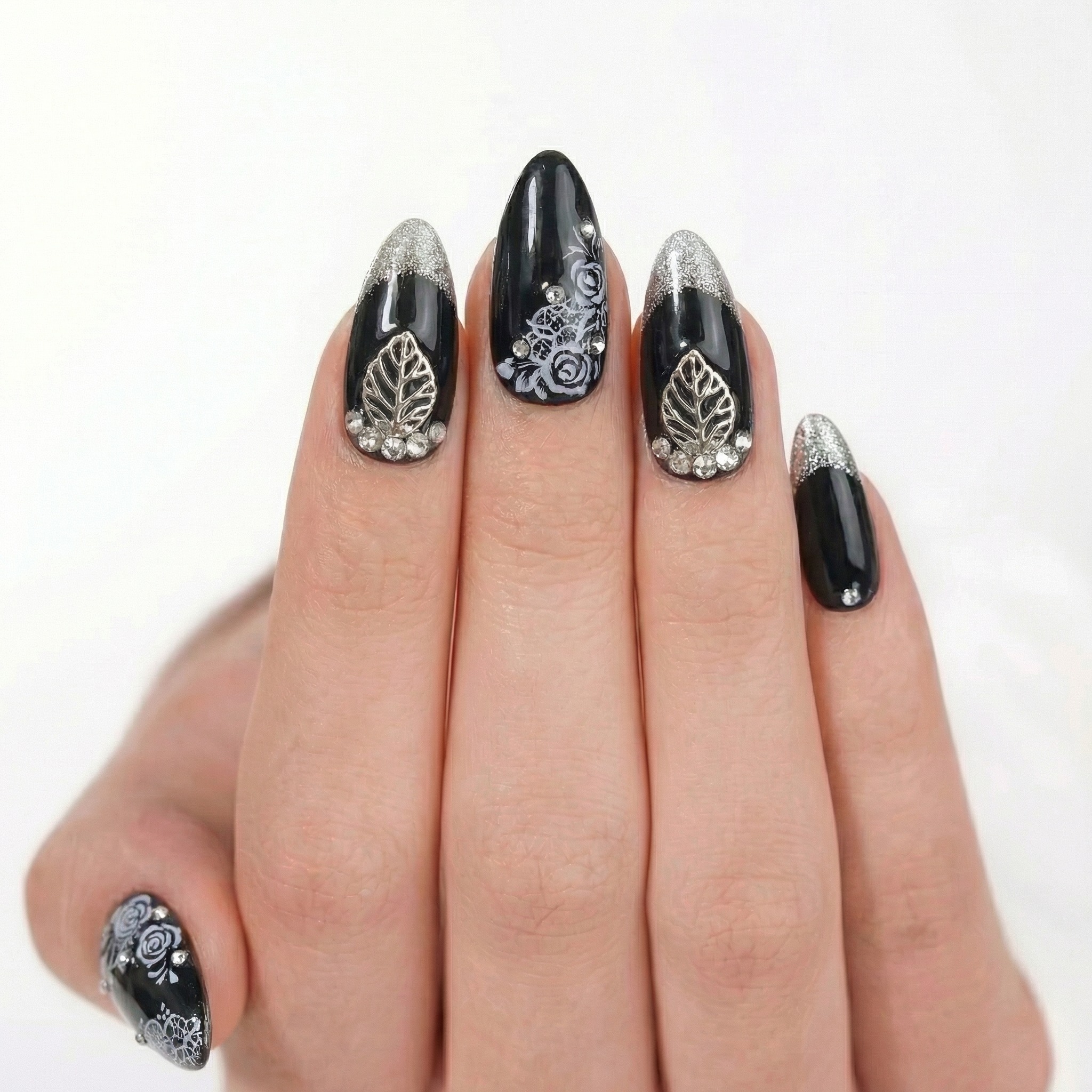
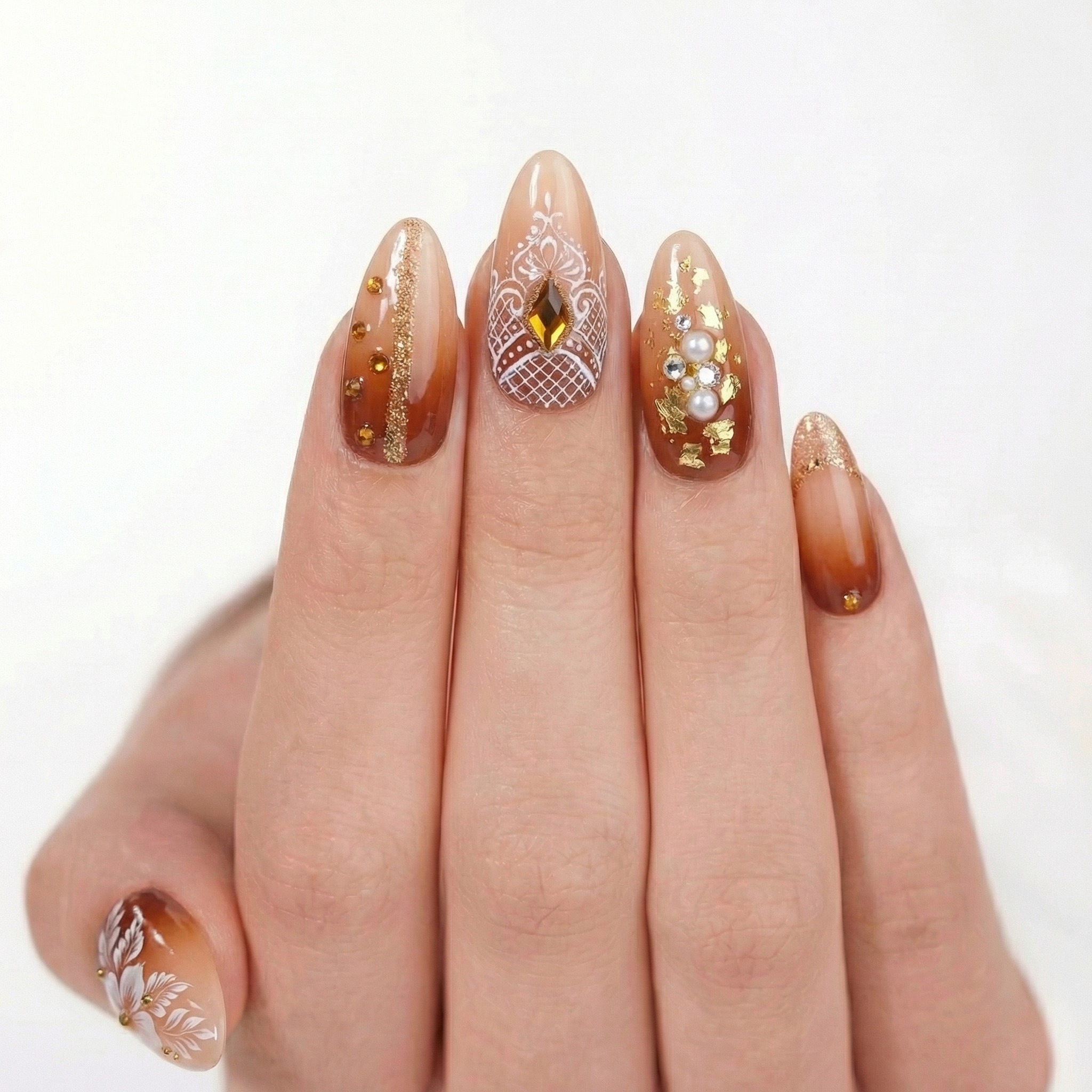
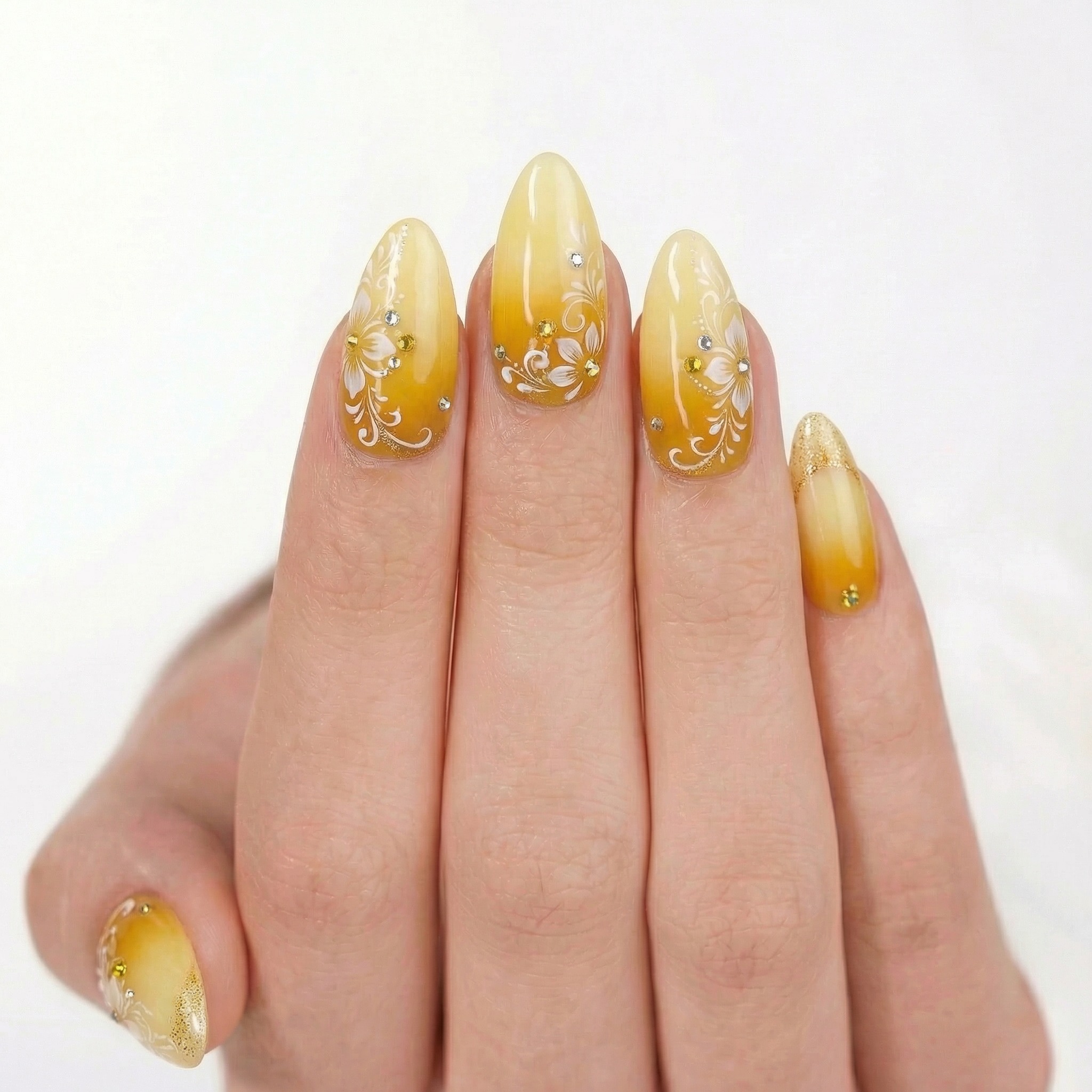
From Upload to Product Photo
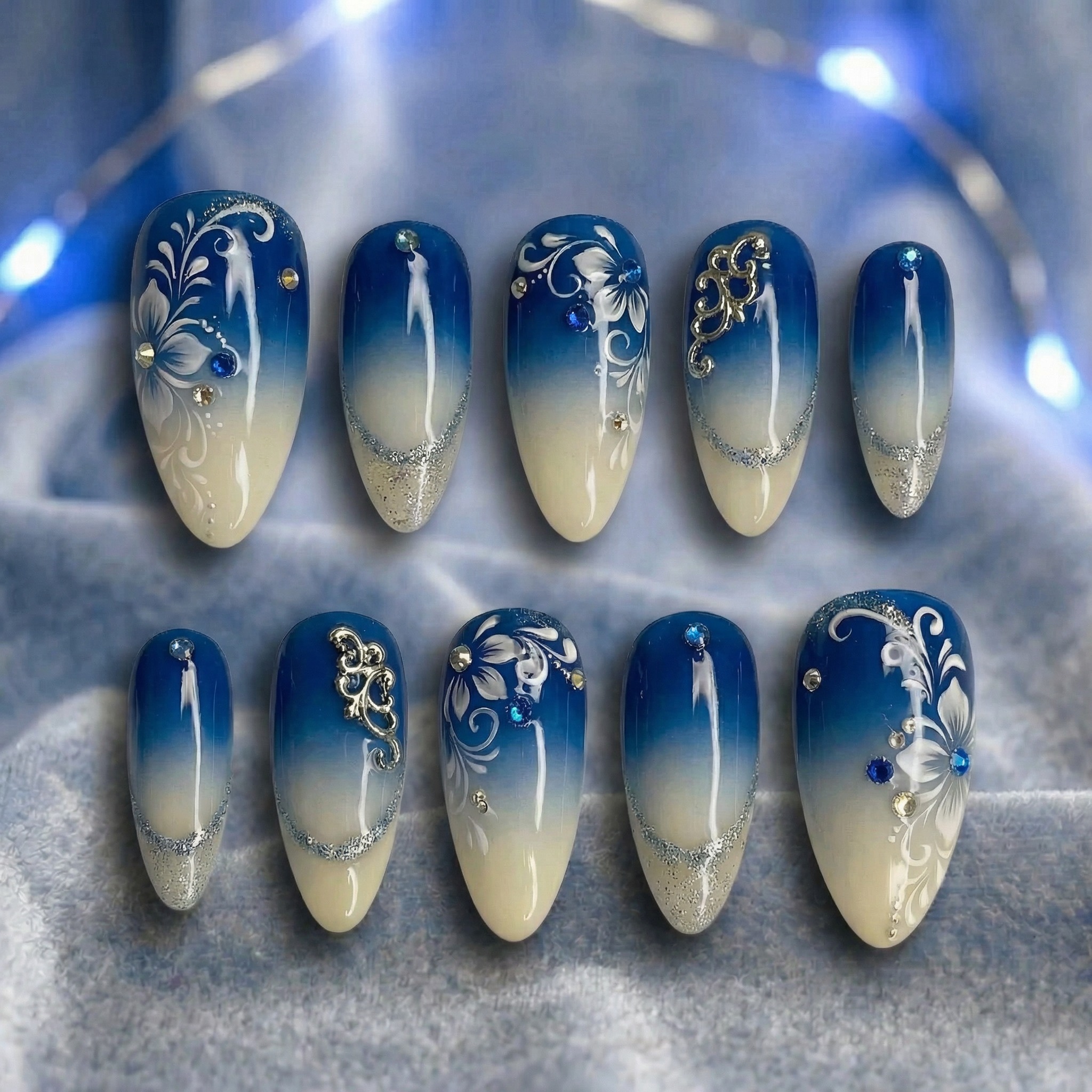
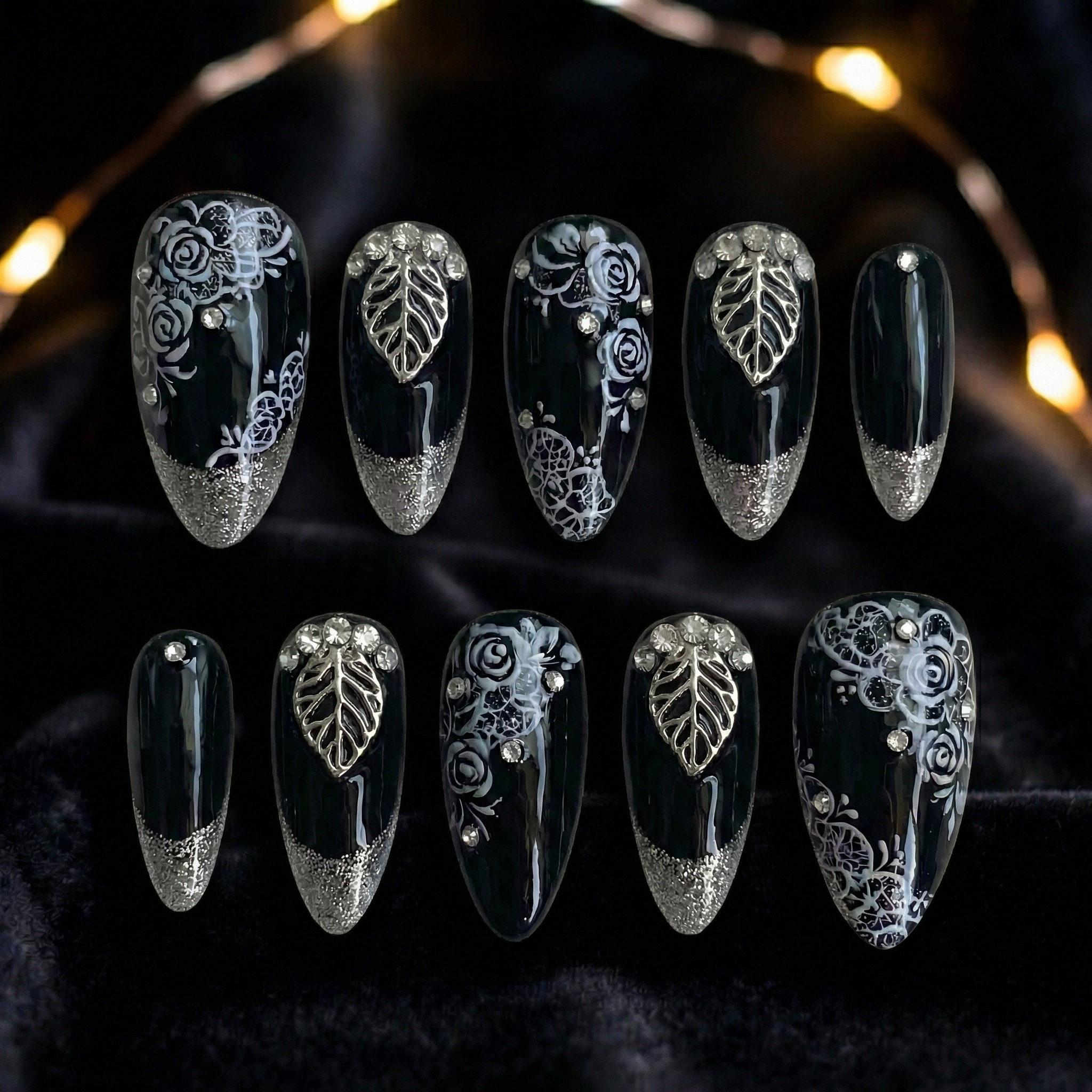
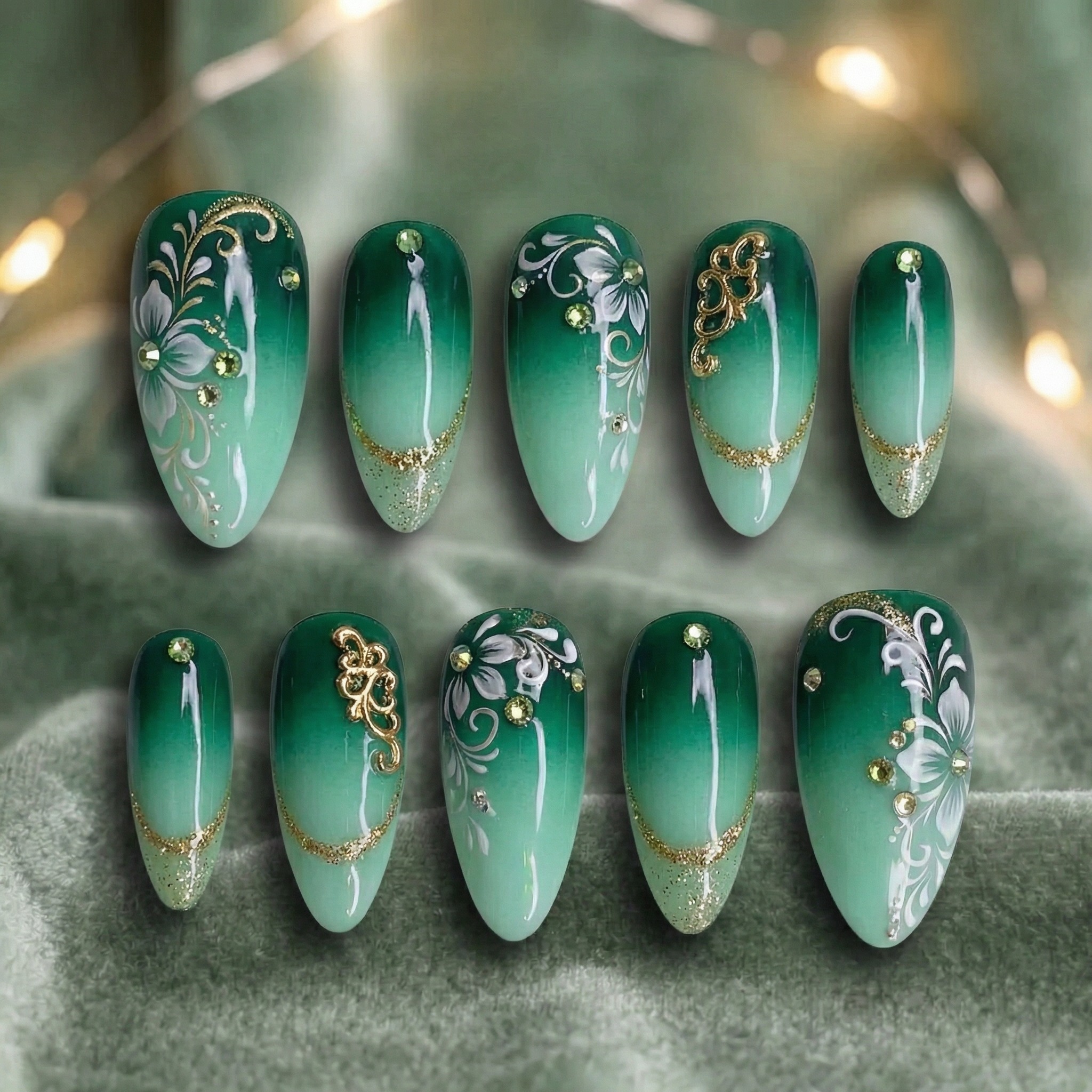
Here's how each flat lay input transforms into a consistent product photo:
Why Brand Consistency Matters for Nail Sellers
When a shopper lands on your Etsy store or TikTok Shop, they see your product grid before they see any single listing. A grid where every photo uses the same hand pose, same background, and same lighting immediately looks professional.
- Higher click-through rates: Consistent thumbnails stand out in search results and look more trustworthy.
- Stronger brand recognition: Customers remember stores with a cohesive visual identity.
- Faster listing creation: No need to reshoot or re-edit each design individually.
- Better for collections: Launching a seasonal collection? Batch Mode ensures every design in the collection looks like it belongs together.
Tips for Best Batch Results
- Use a clean background: Photograph all your nail designs on a plain, light-colored surface for the best AI results.
- Keep lighting consistent: Even though the AI standardizes the output, cleaner inputs produce sharper details.
- Match your platform: Use 1:1 aspect ratio for Instagram and Etsy, 9:16 for TikTok Shop.
- Try different skin tones: Run the same batch with different skin tones to appeal to a wider audience.
- Combine with Single Mode: Use Batch Mode for your catalog grid, then use Single Mode to create multiple-pose variety photos for individual listings.
Who Is Batch Mode For?
- Etsy sellers launching a new collection and need 10+ listings at once
- TikTok Shop sellers who want consistent product thumbnails across their catalog
- Instagram sellers building a cohesive feed aesthetic
- Wholesale sellers creating catalog sheets for B2B buyers
- New nail businesses building their initial product lineup quickly
Frequently Asked Questions
You can upload up to 10 different press-on nail designs in a single batch. All designs are processed with the same hand pose, skin tone, background color, and aspect ratio — creating a consistent, catalog-ready set of product photos in minutes.
Single Mode takes 1 nail design and generates up to 4 different hand poses — best for creating variety within one listing. Batch Mode takes up to 10 nail designs and generates them all with 1 consistent hand pose — best for building a cohesive catalog or collection page.
A uniform catalog with consistent hand pose, background, and lighting signals professionalism and builds buyer trust. Consistent thumbnails get higher click-through rates in search results, stronger brand recognition, and make launching collections easier since every design looks like it belongs together.
Use 1:1 (square) for Instagram and Etsy listings, and 9:16 (vertical) for TikTok Shop. Batch Mode lets you set the aspect ratio once and apply it to all designs in the batch.
Ready to Build Your Catalog?
Upload up to 10 nail designs and generate consistent product photos in minutes. No camera, no hand model, no editing — just upload and go.
Try Batch Mode FreeCách Tạo Ảnh Sản Phẩm Móng Dán Hàng Loạt Bằng AI
Ra mắt bộ sưu tập móng dán mới? Bạn cần ảnh sản phẩm cho mọi mẫu — và tất cả cần trông đồng nhất. Chụp từng mẫu riêng lẻ với người mẫu tay tốn hàng giờ và hàng trăm đô la. Với chế độ hàng loạt trong Try My Nails, bạn có thể tải lên tối đa 10 mẫu móng và tạo tất cả ảnh sản phẩm với một tư thế tay trong một phiên. Cùng tư thế, cùng nền, cùng ánh sáng — catalog chuyên nghiệp trong vài phút.
Tóm tắt — Tải lên tối đa 10 mẫu móng và tạo tất cả ảnh sản phẩm với một tư thế tay trong một phiên. Cùng tư thế, cùng nền, cùng ánh sáng — catalog chuyên nghiệp trong vài phút. Dùng chế độ hàng loạt cho sự đồng nhất catalog, và chế độ đơn cho sự đa dạng tư thế trong một tin đăng.
Vấn Đề: Ảnh Sản Phẩm Không Đồng Nhất
Nếu bạn bán móng dán trên Etsy, TikTok Shop hoặc Instagram, bạn hiểu rõ vấn đề này. Mỗi lần chụp mẫu mới, ánh sáng hơi khác, góc tay thay đổi và màu nền lệch. Lưới tin đăng của bạn trông như bức tranh chắp vá thay vì thương hiệu thống nhất.
Người mua nhận ra sự không nhất quán. Một catalog đồng nhất thể hiện sự chuyên nghiệp và xây dựng lòng tin — dẫn đến tỷ lệ nhấp cao hơn và doanh số nhiều hơn.
Giải Pháp: Chế Độ Hàng Loạt
Chế độ hàng loạt cho phép bạn tải lên nhiều mẫu móng và áp dụng cùng cài đặt — tông da, tư thế tay, màu nền và tỷ lệ khung hình — cho tất cả cùng lúc. Kết quả: ảnh sản phẩm hoàn toàn đồng nhất cho toàn bộ bộ sưu tập.
Chế Độ Hàng Loạt vs. Chế Độ Đơn
- Chế độ đơn: 1 mẫu móng → tối đa 4 tư thế tay khác nhau. Tốt nhất để tạo sự đa dạng trong một tin đăng.
- Chế độ hàng loạt: Tối đa 10 mẫu móng → 1 tư thế tay nhất quán. Tốt nhất để xây dựng catalog hoặc trang bộ sưu tập đồng nhất.
Hướng Dẫn Từng Bước: Cách Dùng Chế Độ Hàng Loạt
Mở trang Visualize và chuyển từ "Single" sang "Batch" ở trên cùng. Sau đó tải lên tối đa 10 ảnh mẫu móng. Bạn có thể chọn nhiều ảnh từ thư viện cùng lúc.
Chọn tông da phù hợp nhất với đối tượng khách hàng, chọn màu nền (trắng phù hợp cho Etsy, màu nổi cho Instagram) và chọn tỷ lệ khung hình cho nền tảng của bạn.
Trong chế độ hàng loạt, bạn chọn đúng một tư thế tay. Tư thế này sẽ được dùng cho mọi mẫu trong lô, đảm bảo sự nhất quán thị giác cho toàn bộ catalog.
Nhấn Tạo. AI xử lý tất cả mẫu cùng lúc và tạo ảnh sản phẩm cho từng mẫu. Tải tất cả xuống và đăng trực tiếp lên tin đăng.
Xem Thực Tế: Trước & Sau
Đây là một mẫu móng từ ảnh flat lay đến ảnh sản phẩm hoàn chỉnh:
Sức Mạnh Hàng Loạt: 8 Mẫu, 1 Tư Thế
Đây là điều làm chế độ hàng loạt đặc biệt. Bên dưới là 8 mẫu móng khác nhau — tất cả được tạo với cùng tư thế tay và nền trắng. Hãy xem cách trình bày đồng nhất tạo nên vẻ chuyên nghiệp, sẵn sàng cho catalog:
Từ Ảnh Tải Lên Đến Ảnh Sản Phẩm
Đây là cách mỗi ảnh flat lay chuyển thành ảnh sản phẩm đồng nhất:
Tại Sao Sự Đồng Nhất Thương Hiệu Quan Trọng Cho Người Bán Móng
Khi người mua vào shop Etsy hoặc TikTok Shop của bạn, họ nhìn thấy lưới sản phẩm trước khi xem bất kỳ tin đăng nào. Lưới mà mọi ảnh dùng cùng tư thế tay, cùng nền và cùng ánh sáng ngay lập tức trông chuyên nghiệp.
- Tỷ lệ nhấp cao hơn: Ảnh thu nhỏ đồng nhất nổi bật trong kết quả tìm kiếm và trông đáng tin cậy hơn.
- Nhận diện thương hiệu mạnh hơn: Khách hàng nhớ những shop có nhận diện thị giác thống nhất.
- Tạo tin đăng nhanh hơn: Không cần chụp lại hoặc chỉnh sửa từng mẫu riêng lẻ.
- Tốt hơn cho bộ sưu tập: Ra mắt bộ sưu tập theo mùa? Chế độ hàng loạt đảm bảo mọi mẫu trong bộ sưu tập trông như thuộc về nhau.
Mẹo Để Có Kết Quả Hàng Loạt Tốt Nhất
- Dùng nền sạch: Chụp tất cả mẫu móng trên bề mặt trơn, màu sáng để AI cho kết quả tốt nhất.
- Giữ ánh sáng đồng nhất: Dù AI chuẩn hóa đầu ra, ảnh đầu vào sạch hơn cho chi tiết sắc nét hơn.
- Phù hợp nền tảng: Dùng tỷ lệ 1:1 cho Instagram và Etsy, 9:16 cho TikTok Shop.
- Thử nhiều tông da: Chạy cùng lô với tông da khác nhau để thu hút đối tượng rộng hơn.
- Kết hợp với chế độ đơn: Dùng chế độ hàng loạt cho lưới catalog, sau đó dùng chế độ đơn để tạo ảnh đa dạng tư thế cho từng tin đăng.
Chế Độ Hàng Loạt Dành Cho Ai?
- Người bán Etsy ra mắt bộ sưu tập mới và cần 10+ tin đăng cùng lúc
- Người bán TikTok Shop muốn ảnh thu nhỏ sản phẩm đồng nhất trên toàn catalog
- Người bán Instagram xây dựng giao diện feed thống nhất
- Người bán sỉ tạo trang catalog cho khách B2B
- Doanh nghiệp móng mới xây dựng danh mục sản phẩm ban đầu nhanh chóng
Câu Hỏi Thường Gặp
Bạn có thể tải lên tối đa 10 mẫu móng dán khác nhau trong một lô. Tất cả mẫu được xử lý với cùng tư thế tay, tông da, màu nền và tỷ lệ khung hình — tạo bộ ảnh sản phẩm đồng nhất, sẵn sàng cho catalog trong vài phút.
Chế độ đơn lấy 1 mẫu móng và tạo tối đa 4 tư thế tay khác nhau — tốt nhất để tạo sự đa dạng trong một tin đăng. Chế độ hàng loạt lấy tối đa 10 mẫu móng và tạo tất cả với 1 tư thế tay nhất quán — tốt nhất để xây dựng catalog hoặc trang bộ sưu tập đồng nhất.
Catalog đồng nhất với tư thế tay, nền và ánh sáng nhất quán thể hiện sự chuyên nghiệp và xây dựng lòng tin người mua. Ảnh thu nhỏ nhất quán có tỷ lệ nhấp cao hơn trong kết quả tìm kiếm, nhận diện thương hiệu mạnh hơn, và giúp ra mắt bộ sưu tập dễ dàng hơn vì mọi mẫu đều trông như thuộc về nhau.
Dùng 1:1 (vuông) cho Instagram và Etsy, và 9:16 (dọc) cho TikTok Shop. Chế độ hàng loạt cho phép bạn đặt tỷ lệ khung hình một lần và áp dụng cho tất cả mẫu trong lô.
Sẵn Sàng Xây Dựng Catalog?
Tải lên tối đa 10 mẫu móng và tạo ảnh sản phẩm đồng nhất trong vài phút. Không cần máy ảnh, người mẫu tay, hay chỉnh sửa — chỉ cần tải lên và bắt đầu.
Thử Chế Độ Hàng Loạt Miễn PhíCómo Generar Fotos de Productos de Uñas Postizas por Lotes con IA
¿Lanzando una nueva colección de uñas postizas? Necesitas fotos de productos para cada diseño — y todas deben verse consistentes. Fotografiar cada una individualmente con una modelo de manos toma horas y cuesta cientos de dólares. Con el modo por lotes en Try My Nails, puedes subir hasta 10 diseños de uñas y generar todas sus fotos de productos con una pose de mano en una sola sesión. Misma pose, mismo fondo, misma iluminación — un catálogo profesional en minutos.
Resumen — Sube hasta 10 diseños de uñas y genera todas sus fotos de productos con una pose de mano en una sola sesión. Misma pose, mismo fondo, misma iluminación — un catálogo profesional en minutos. Usa el modo por lotes para consistencia de catálogo, y el modo individual para variedad de poses dentro de un listado.
El Problema: Fotos de Productos Inconsistentes
Si vendes uñas postizas en Etsy, TikTok Shop o Instagram, conoces la lucha. Cada vez que fotografías un nuevo diseño, la iluminación es ligeramente diferente, el ángulo de la mano cambia y el color de fondo varía. Tu cuadrícula de listados termina pareciendo un mosaico en lugar de una marca cohesiva.
Los compradores notan la inconsistencia. Un catálogo uniforme señala profesionalismo y genera confianza — lo que lleva a mayores tasas de clics y más ventas.
La Solución: Modo por Lotes
El modo por lotes te permite subir múltiples diseños de uñas y aplicar los mismos ajustes exactos — tono de piel, pose de mano, color de fondo y relación de aspecto — a todos a la vez. El resultado: fotos de productos perfectamente consistentes en toda tu colección.
Modo por Lotes vs. Modo Individual
- Modo individual: 1 diseño de uñas → hasta 4 poses de mano diferentes. Ideal para crear variedad dentro de un listado.
- Modo por lotes: Hasta 10 diseños de uñas → 1 pose de mano consistente. Ideal para construir un catálogo o página de colección cohesiva.
Paso a Paso: Cómo Usar el Modo por Lotes
Abre la página Visualize y cambia de "Single" a "Batch" en la parte superior. Luego sube hasta 10 fotos de diseños de uñas. Puedes seleccionar múltiples imágenes de tu biblioteca de fotos a la vez.
Elige un tono de piel que represente mejor a tu audiencia objetivo, selecciona un color de fondo (blanco es ideal para Etsy, colores llamativos para Instagram) y elige una relación de aspecto para tu plataforma.
En el modo por lotes, seleccionas exactamente una pose de mano. Esta misma pose se usará para cada diseño en tu lote, asegurando consistencia visual en todo tu catálogo.
Haz clic en Generar. La IA procesa todos tus diseños simultáneamente y produce una foto de producto para cada uno. Descárgalas todas y súbelas directamente a tus listados.
Míralo en Acción: Antes y Después
Así es como un solo diseño de uñas pasa de flat lay a foto de producto lista:
El Poder del Lote: 8 Diseños, 1 Pose
Esto es lo que hace especial al modo por lotes. A continuación hay 8 diseños de uñas diferentes — todos generados con la misma pose de mano y fondo blanco. Observa cómo la presentación consistente crea un aspecto profesional, listo para catálogo:
De Foto Subida a Foto de Producto
Así es como cada flat lay se transforma en una foto de producto consistente:
Por Qué la Consistencia de Marca Importa para Vendedores de Uñas
Cuando un comprador llega a tu tienda Etsy o TikTok Shop, ve tu cuadrícula de productos antes de ver cualquier listado individual. Una cuadrícula donde cada foto usa la misma pose de mano, mismo fondo y misma iluminación inmediatamente se ve profesional.
- Mayores tasas de clics: Las miniaturas consistentes destacan en los resultados de búsqueda y se ven más confiables.
- Mayor reconocimiento de marca: Los clientes recuerdan las tiendas con una identidad visual cohesiva.
- Creación de listados más rápida: No necesitas volver a fotografiar o editar cada diseño individualmente.
- Mejor para colecciones: ¿Lanzando una colección de temporada? El modo por lotes asegura que cada diseño en la colección se vea como parte del conjunto.
Consejos para Mejores Resultados por Lotes
- Usa un fondo limpio: Fotografía todos tus diseños de uñas sobre una superficie lisa y de color claro para los mejores resultados con IA.
- Mantén la iluminación consistente: Aunque la IA estandariza la salida, entradas más limpias producen detalles más nítidos.
- Adáptate a tu plataforma: Usa relación de aspecto 1:1 para Instagram y Etsy, 9:16 para TikTok Shop.
- Prueba diferentes tonos de piel: Ejecuta el mismo lote con diferentes tonos de piel para atraer a una audiencia más amplia.
- Combina con el modo individual: Usa el modo por lotes para tu cuadrícula de catálogo, luego usa el modo individual para crear fotos de variedad de poses para listados individuales.
¿Para Quién Es el Modo por Lotes?
- Vendedores de Etsy que lanzan una nueva colección y necesitan 10+ listados a la vez
- Vendedores de TikTok Shop que quieren miniaturas de productos consistentes en todo su catálogo
- Vendedores de Instagram que construyen una estética de feed cohesiva
- Vendedores mayoristas que crean hojas de catálogo para compradores B2B
- Nuevos negocios de uñas que construyen su línea de productos inicial rápidamente
Preguntas Frecuentes
Puedes subir hasta 10 diseños de uñas postizas diferentes en un solo lote. Todos los diseños se procesan con la misma pose de mano, tono de piel, color de fondo y relación de aspecto — creando un conjunto consistente de fotos de productos listas para catálogo en minutos.
El modo individual toma 1 diseño de uñas y genera hasta 4 poses de mano diferentes — ideal para crear variedad dentro de un listado. El modo por lotes toma hasta 10 diseños de uñas y los genera todos con 1 pose de mano consistente — ideal para construir un catálogo o página de colección cohesiva.
Un catálogo uniforme con pose de mano, fondo e iluminación consistentes señala profesionalismo y genera confianza en el comprador. Las miniaturas consistentes obtienen tasas de clics más altas en los resultados de búsqueda, mayor reconocimiento de marca, y facilitan el lanzamiento de colecciones ya que cada diseño se ve como parte del conjunto.
Usa 1:1 (cuadrado) para listados de Instagram y Etsy, y 9:16 (vertical) para TikTok Shop. El modo por lotes te permite establecer la relación de aspecto una vez y aplicarla a todos los diseños del lote.
¿Listo para Crear Tu Catálogo?
Sube hasta 10 diseños de uñas y genera fotos de productos consistentes en minutos. Sin cámara, sin modelo de manos, sin edición — solo sube y listo.
Prueba el Modo por Lotes Gratis